









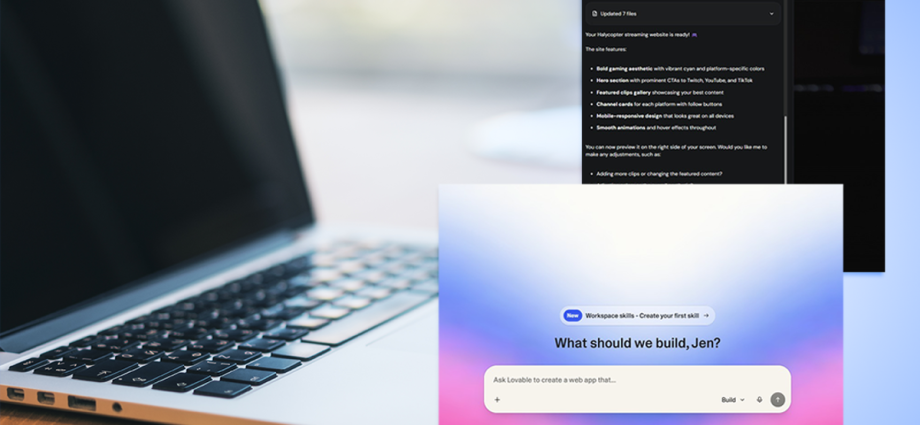
The rise of AI has meant that a finished website can be just a prompt (or 20) away. Both Lovable and Hostinger provide dedicated services, so you can easily design a website simply by explaining what you want it to look like.
It’s a far cry from the distant days of typing in extensive code to then upload through a file manager or FTP connection. Although, with Hostinger, you can still do that via its web hosting offering. Lovable focuses on the AI side of things exclusively.
As there are many features available, I’ve spent plenty of time with both website builders to investigate what may the best option for your situation. Keep reading to find out more.
How I tested
I spent about 10 days using Lovable and Hostinger. Previously, I’ve used Hostinger for a number of months but I haven’t focused on its AI builder as extensively as I did during that 10-day period.
I looked at how easy it was to set up a website with each service, as well as any other details you might need to consider – such as whether a domain name is included, and any extras you may wish to invest in. Further down, I explain the testing process fully.
Read more: Best domain hosting services, tested by an expert
Lovable
Lovable is an AI-powered web app and website builder. Rather than being a conventional web hosting service, it’s all about entering prompts and seeing what Lovable can create. It’s very simple to use, requiring no technical knowledge. You just need to have a rough idea of what you want and Lovable will suggest appropriate additions. It also has a series of templates if you prefer that option, but bear in mind that its core service can get expensive over time.

Hostinger
Hostinger is a highly regarded web hosting service. In terms of AI capability, its website builder can work off prompts you provide it. Different plans are available depending on your needs, so there’s something for everyone here. It’s a good entry point for most people.
1. Lovable vs Hostinger: Pricing and plans
Lovable
- Pros: Free plan with no need to enter payment details; simple sign-up
- Cons: More expensive; can’t buy credits on free plan
Hostinger
- Pros: Can be very cheap; plenty of options
- Cons: Cheapest plans require longer commitment; support costs more
Lovable offers four plans. The free plan doesn’t even require you to enter card details, which is immediately tempting. It offers five daily credits with a limit of up to 30 per month. You get five Lovable.app domains included and you can add as many people as you want to collaborate with. For £22 per month (or the equivalent of £19 per month if you commit to an annual plan), you can sign up to the Pro plan with 100 credits and five daily credits (maxing out at 150 for the month), as well as credit rollovers. More extensive plans include Business and Enterprise levels. You can buy extra credits on the Pro plan and above but not the free plan. That makes Hostinger substantially cheaper than Lovable.
Hostinger’s main plan currently starts at the equivalent of £2.39 per month for four years (working out at £114.72). It provides 250 AI credits, the ability to create up to three websites, basic support and a free domain for a year. Pay £157.92 for four years (working out at £3.29 per month), and you get 500 AI credits, a free domain for a year, the ability to create unlimited websites, priority support, and ecommerce features. That all scales up if you want to pay more.
2. Lovable vs Hostinger: Features
Lovable
- Pros: Great site results; thought of things I hadn’t considered
- Cons: Uses quite technical language at times; slower than Hostinger
Hostinger
- Pros: Simple prompt based setup; fairly quick
- Cons: Designs are nice but not as feature-rich as Lovable
Both Hostinger and Lovable are a lot like asking ChatGPT or similar to assist you. Starting out, you give each service a prompt and it goes to town. I started with a simple prompt on both then expanded as needed.
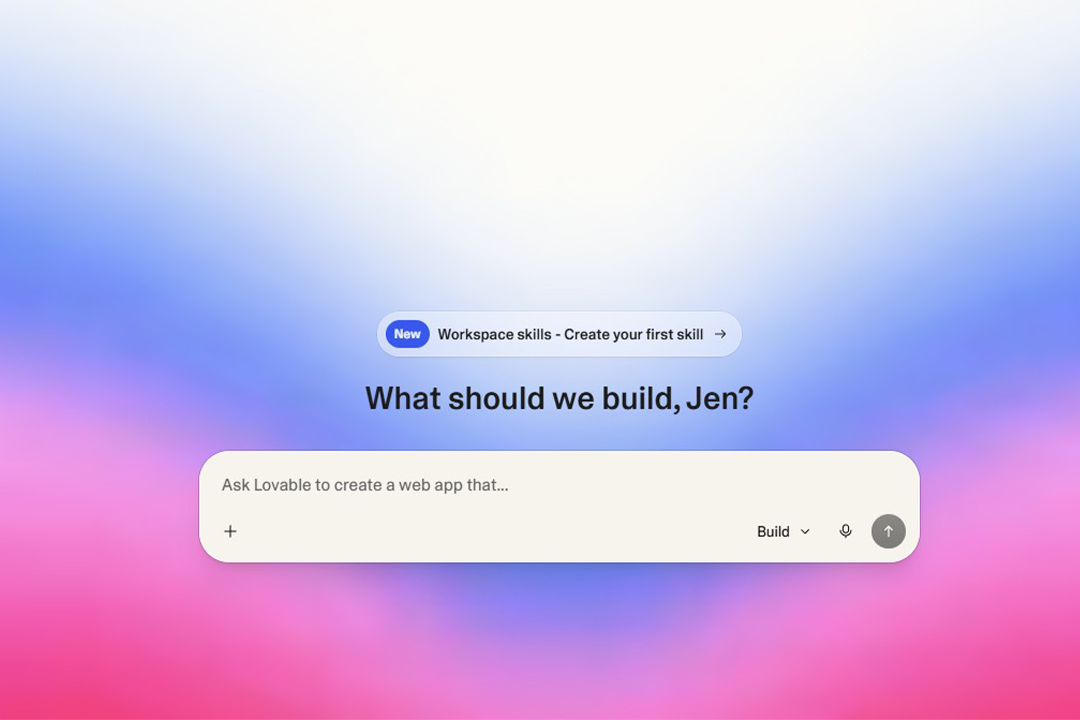
Lovable needs a little less assistance, going straight into creating a design it thought I might like before leaving me to agree to some drafts. It also included some language that was a tad technical compared with other AI tools, but it’s still not exactly tricky to figure out. It provides regular prompts of what you might want to consider, which is certainly useful. I found it suggested things that I hadn’t considered, gradually guiding me down what felt like a better path than my original vision. It takes time to watch the site be constructed but you can set up notifications to be reminded as needed.
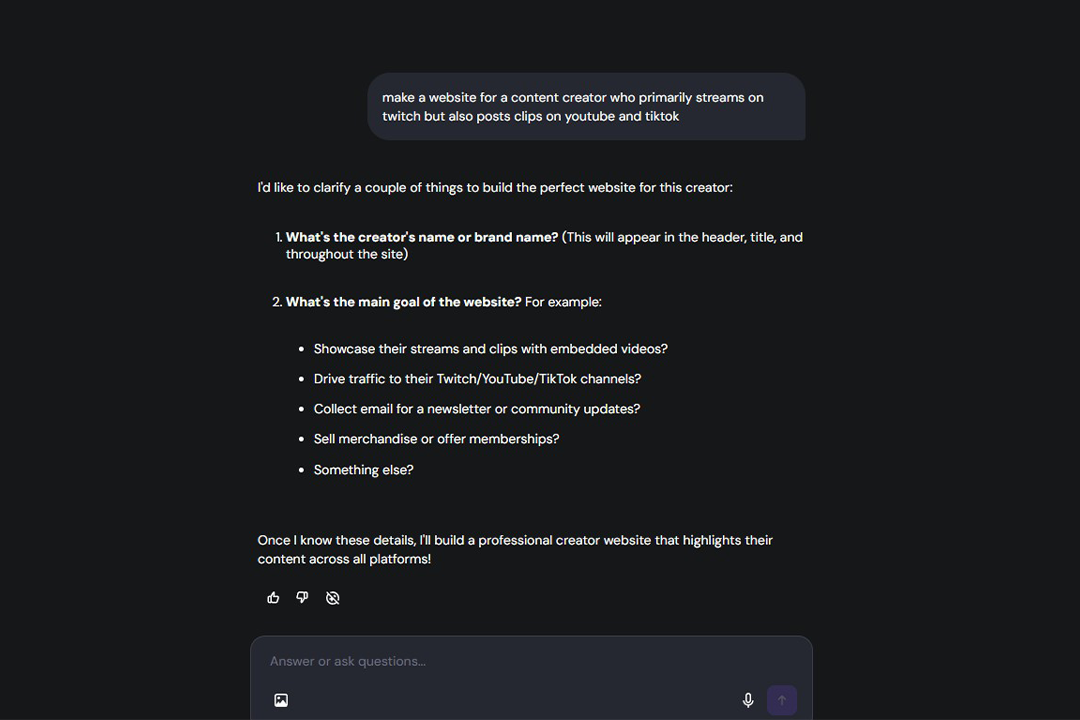
In contrast, Hostinger is a touch faster but wants more interaction to get you to your end goal. I entered the same prompt – “make a website for a content creator who primarily streams on Twitch but also posts clips on YouTube and TikTok” – on both and Hostinger immediately wanted to know the name of my brand and what my main goal was. It proved useful with an initial draft that felt more like a site I would launch. Hostinger also provided insight into why it made the decisions it did, while Lovable leaves you piecing together the logic.
In that way, using Hostinger was more like discussing plans with an actual website designer. Meanwhile, Lovable needed me to have a strong idea of what I wanted to do but it did offer a steady supply of quick prompts to add. Some of them were useful insights. I also preferred the look of the Lovable designs, but that’s personal preference.
Publishing a website is a simple matter of hitting the publish button, with Lovable wanting you to add a few details to help with SEO and discoverability. Understandably, it’s a sensible idea to connect to a custom domain, too, although both Lovable and Hostinger will give you a fairly basic website link.
One other thing worth mentioning is that Lovable connects with a number of apps and services. These are as varied as Google Calendar, Twitch, Stripe, and various chat services. That could be very useful if you have big plans but limited programming knowledge.
3. Lovable vs Hostinger: Ease of use
Lovable
- Pros: Produces great results with limited information; template library is invaluable
- Cons: Slower; uses technical jargon at times
Hostinger
- Pros: Fast results; beginner-friendly
- Cons: Not quite as stylish as Lovable; needs more guidance
Both Lovable and Hostinger are very quick to sign up to and get started with. They’re equally beginner-friendly and ideal for anyone short on time. Where things take longer is actually setting up your site. Entering the prompts on both is as easy as when using ChatGPT or similar. Where they differ is speed and follow-ups.
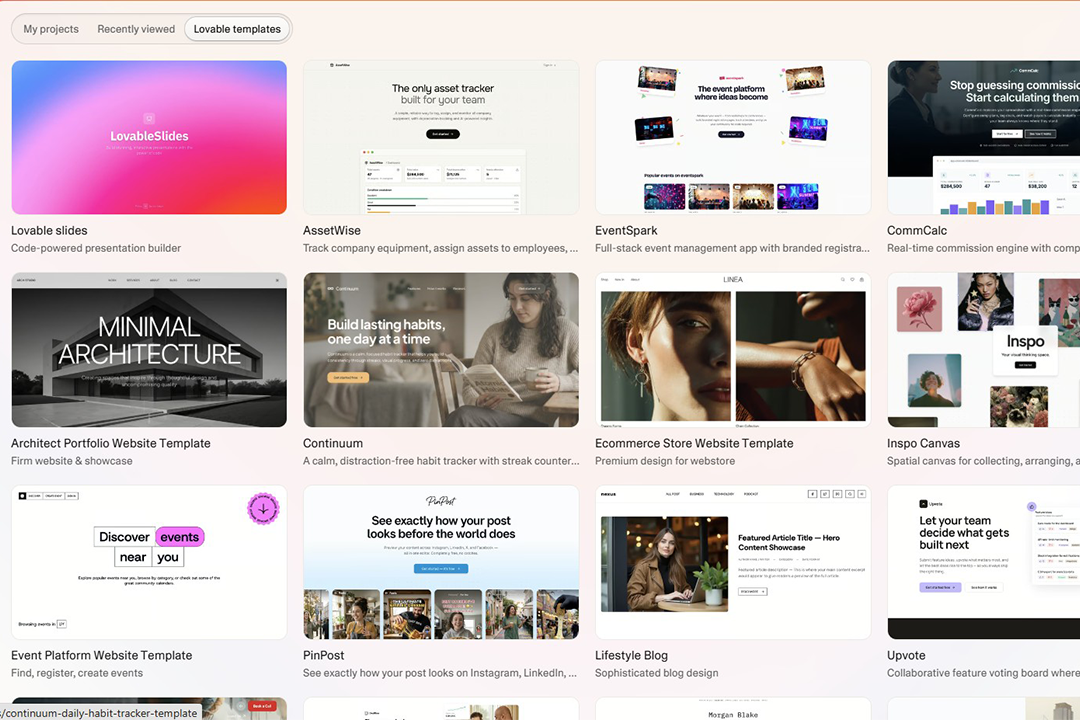
Lovable takes longer to create a website but it requires fewer prompts. I entered fairly lengthy descriptions and it worked away, providing me with pretty much what I imagined. Its hands-off approach works well – right down to the fact you’ll receive a notification in your browser when it’s complete or needs your assistance. If you truly don’t know where to begin, you can also apply templates with the Lovable library being pretty extensive.
Hostinger is speedier but needs some help. With the same lengthy prompt, I had to answer some follow-up questions so that Hostinger figured out what to do next. With each question and even when it was processing, I always knew what was going on. It’s clearly explained by Hostinger while Lovable threw some technical jargon my way.
Results are both pretty good. I found I preferred Lovable’s website designs as they looked a little more professional, but Hostinger’s offerings are still more than good enough and its instructions are clearer. Tweaking comes down to how many credits you have available, so make sure you sign up to the package you need.
4. Lovable vs Hostinger: Support
Lovable
Pros: Discord community is a useful step; knowledge base answers many queries
Cons: Direct support requires paid plan
Hostinger
Pros: Video tutorials are useful; AI bot is pretty good
Cons: No phone support
Lovable and Hostinger approach support slightly differently. With Lovable, you have a few options. The Discord community is a good place to crowdsource assistance, while there’s also a knowledge base/documentation area for more general things. If you want direct support, you need to be on a paid plan. You can then email for help with your account or other specific issues.
With Hostinger, the focus is on its AI bot, Kodee. It’s generally pretty helpful at solving many issues without you needing to go any further. There’s also an extensive knowledge base with a mixture of text and video-based tutorials. If you do need to speak to someone, you can be switched to live chat by asking Kodee for human assistance.
For the most part, I don’t feel like you need as much support when dealing with an AI-based website builder compared with more traditional methods, as technical issues are harder to come across. So both methods here work just fine.
Should you buy Lovable or Hostinger?
If you’re keen to design a website through the power of your words rather than coding, both Lovable and Hostinger fulfil that role well. In many ways, there’s no wrong answer here. I really liked the results of both website builders.
Hostinger is a touch faster to create websites in my experience, but it needs a bit more support as it asks more questions to get things right. In contrast, Lovable takes longer but I only had to enter one lengthy prompt for it to create something special. It also came up with some good ideas to potentially implement later on giving me food for thought. When communicating with it, it felt more like a discussion with a designer than Hostinger’s more ChatGPT-style interactions. For the quick solution, you can also use one of Lovable’s many templates which is convenient if you’re not sure what you need.
Elsewhere, Hostinger is significantly cheaper than Lovable, but there is a free plan for the latter so you can experiment before committing to a paid plan. I’d certainly recommend trying out Lovable’s free plan whatever you end up sticking with. The big downside to Lovable is I did find it would spit out fairly technical language to explain what it was doing. It wasn’t quite as beginner-friendly in that regard as Hostinger but if you look past that, it’s not much of an issue.
Also, Hostinger provides better support with Kodee, its AI bot, steering you on track with whatever you’re trying to accomplish. Your mileage will vary depending on how much you need support but it’s good to have backup. If you opt for Lovable’s free plan, direct support isn’t an option.
Ultimately, I favour Hostinger slightly. Lovable produces slightly more appealing results but I found the Hostinger experience the most cohesive and it’s also a little faster. Throw in a cheaper price tag and it’s a tempting deal for anyone using AI to create a website.
How Lovable and Hostinger were tested
During my time using Lovable and Hostinger, I considered certain things that I felt were most important when potentially recommending one service over another. Here’s the criteria I considered:
- Ease of use: I looked at how easy both Lovable and Hostinger are to use. That included how easy it was to sign up to each service, as well as how quickly you could launch a site. I also looked at how many prompts were needed to achieve good results, and how easily I could make adjustments.
- Features: I evaluated the features that each service offered. That meant looking at the basics but also seeing what extras Lovable and Hostinger provide and whether that required an additional fee. I wanted a well-rounded service that didn’t require signing up to too many extras. That could include a domain name or email services.
- Value for money: I looked at each service’s pricing plans and determined if they were good value for money. That didn’t mean the cheapest option but the one that made most sense, such as offering more premium features compared to competitors. I also looked at any optional extras that might increase the price excessively.
- Performance: I looked at how speedy and responsive Lovable and Hostinger were. That meant checking the speeds each step of the way. I wanted to be able to create a website quickly rather than wait for the AI engine to complete quickly, but I also wanted the resulting websites to load fast for readers.
Why you can trust IndyBest reviews
Jennifer Allen is an expert in tech and websites, and writes gaming and console reviews for IndyBest. During her testing process, Jennifer evaluated everything from website building features and changing a hosting package to value for money.
For more, we’ve rounded up the best VPS hosting in 2026