










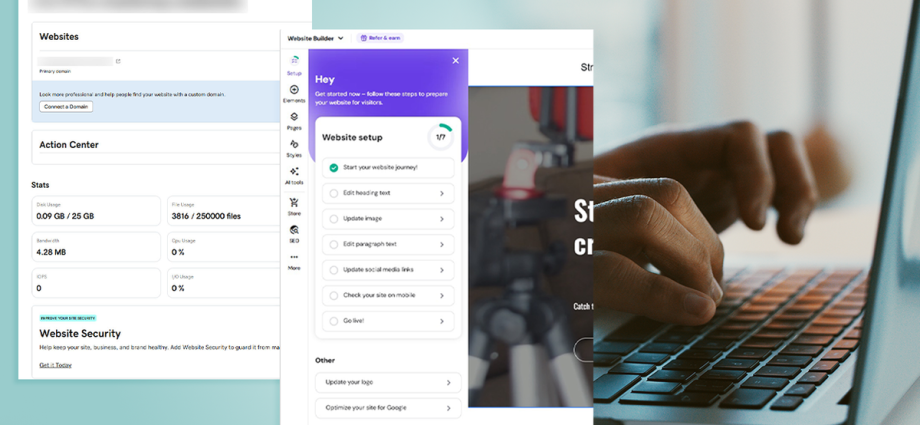
A quick glance at possible web hosting options shows that Hostinger and GoDaddy are big names in this arena. Many of us may be wondering where to begin when building a website – because even if you just focus on one of these two, it can feel confusing to know which hosting service to go with.
Spoiler alert: GoDaddy and Hostinger are both great options. Each service is affordable and welcoming to beginners, while still offering vital features for more advanced users. You can’t go wrong with either.
However, it’s still a good idea to read into exactly what they offer so you can choose the right web hosting service for your needs. I’ve spent a lot of time using web hosting providers to help answer this query for you. Keep reading for my honest review.
Read more: Hostinger review 2026: An affordable web hosting service
How I tested
I spent around 10 days using Hostinger and GoDaddy. In that time, I set up a website and also looked at other options available through both services. I effectively used the two web hosts just like anyone else signing up for one, looking to see how easy each is to use and whether there is functionality for expansion. You can see my full testing criteria at the end of this article.

GoDaddy
GoDaddy skips the extra level of AI guidance that Hostinger provides, but it’s great as a general web hosting service. It’s simple to set up a WordPress site and also to upload your own site and code. A clear cPanel and layout means you always know what’s going on with your site and GoDaddy offers some valuable tips along the way too. It’s cheaper than Hostinger as well.

Hostinger
While Hostinger wants to tie you in for an extended period of time, it makes sense given few people are launching a website for just a couple of months or even a year. It’s well priced and simple to set up while also offering advanced features that are useful if you have more technical prowess than most. It also has a variety of AI features which are genuinely helpful for getting you started.
1. GoDaddy vs Hostinger: Pricing and plans
GoDaddy
Pros: Special offers on plans; from £3.99 per month; plan for WordPress users
Cons: More expensive
Hostinger
Pros: Special offers on plans; from £2 per month; free domain for a year with all plans
Cons: More of a commitment
GoDaddy and Hostinger tend to run special offers on their plans and at the time of writing, both offer good discounts.
Hostinger’s discounts lean heavily towards you committing to a plan for two years. Its cheapest plan works out at £2 per month for two years (taken in one bulk payment of £95) with the ability to create three websites, 20GB of SSD storage, two mailboxes, a free domain, weekly backups and a website builder. For £3 per month (£143 for two years), you get an upgrade to creating up to 50 websites, 50GB of NVMe storage, five mailboxes, and more frequent backups. More expensive plans are also available if you need more storage and functionality, but these are likely to be the most popular plans for many people. With all plans, you get a free domain for one year.

With GoDaddy, its cheapest plan is £3.99 per month when signing up for one year (working out as £48 for the year) and this gets you one website, 25GB of NVMe storage, a free domain and free email. If your focus is on WordPress, you can also sign up to its Hosting for WordPress Basic plan for the same price with WordPress pre-installed, AI creation tools, a WordPress migration tool, 10GB of NVMe storage, a free domain, free email, and a dedicated WordPress control panel. Another tempting option for some is the Web Hosting Deluxe plan for £5.99 per month (£72 per year) with 50GB of NVMe storage, 10 websites, and all the usuals like a domain and free email.
Hostinger is the cheaper option – but if faster storage is important to you on the most inexpensive plan, GoDaddy is more appealing. GoDaddy is also a better choice if you just want a website for one year or you’re planning on shopping around again in 12 months.
2. GoDaddy vs Hostinger: Features
GoDaddy
Pros: Easy to set up a WordPress-based site
Cons: Need a specific plan for AI support
Hostinger
Pros: Easier to understand what’s offered; great for beginners; AI support available
Cons: AI site set up will need tweaks
Hostinger and GoDaddy both offer all the key features you could need from a web hosting package. The difference is how each service portrays the information.
Hostinger is exceptionally friendly for beginners. Its web hosting is ideal for someone who wants a guiding hand. That’s thanks to its wealth of ways to set up a site. There’s the traditional method of uploading your site file by file via the file manager or FTP. For those users who don’t know where to begin, you can also use its WordPress-based website builder, or Hostinger Horizons which is a full AI solution. The latter simply involves entering a few prompts, with Hostinger doing the rest of the work for you. While you’ll likely want to make more tweaks yourself, having the groundwork there is very useful. Consider it the ideal starting point if you’ve never set up a website for your business or personal project before.
GoDaddy’s standard web hosting doesn’t focus on AI features. Instead, it has a file manager or FTP access for uploading your sites. It also makes it easy to set up a WordPress-based site. The WordPress site can be quite simply done, and WordPress is pretty easy to configure and get looking just how you want with a ton of different themes and plugins.
With GoDaddy, it’s down to you to figure things out while Hostinger offers up some plugin recommendations. Managed hosting via deploying Node.js web apps is also possible with both services, with GoDaddy’s in beta and Hostinger’s already well established. If you want AI to create your site with GoDaddy, you need a separate plan via its AI website builder compared to Hostinger bundling it all together.
Both services offer the essentials like a free domain for a year (bear in mind that one year is also available on Hostinger’s two-year plan), free SSL certificates (on some GoDaddy plans), and email for a price depending on the plan you sign up for. Both also offer security checks but it’s another one that may need an upgrade or an additional fee. Malware protection is available for both freely at least. Site health checks are also readily available.
GoDaddy is very likeable but it’s a little easier to see what features are included as standard with Hostinger. With GoDaddy, you’ll likely want to look around to figure out what service you actually need.
3. GoDaddy vs Hostinger: Ease of use
GoDaddy
Pros: Quick setup
Cons: Choosing a plan takes consideration
Hostinger
Pros: Quick setup; easy to understand the plans available; leans into AI; more user-friendly WordPress installation
Cons: Less familiar for cPanel users
It’s simple to sign up to both Hostinger and GoDaddy. It’s worth making sure you’re signing up to the right plan for you on GoDaddy. Meanwhile, Hostinger is a little more straightforward, but it’s not challenging by any means. In both cases, you can pick the location of your site’s server and complete a few simple steps to get you started. GoDaddy’s standard web hosting leans heavily on WordPress while Hostinger is keen to recommend all things AI.
Hostinger also has its own custom hPanel while GoDaddy uses cPanel. Both are easy to figure out though. With GoDaddy, I went straight into setting up WordPress but there are options for Magento, Drupal, phpBB, and Joomla. Hostinger goes its own route through Horizons as well as a more standard WordPress installation.
Both GoDaddy and Hostinger only take a minute or two to set up your server and I quickly got a working site set up in under 30 minutes. In reality, you’ll want to spend more time tweaking your site but it’s nice to get the foundations established fast.
4. GoDaddy vs Hostinger: Support
GoDaddy
Pros: Helpful AI and knowledge base; WhatsApp and phone support
Cons: Live chat can be a little slow to respond
Hostinger
Pros: Useful AI and straightforward tutorials
Cons: No phone or Whatsapp support available
AI bots are the order of the day with support. Hostinger has named its bot Kodee while GoDaddy has Airo. Both are highly competent. I found most of my queries were easily solved by using the respective AI bot. Even better, it was far quicker than relying on a ticket system or even live chat. Having said that, alternative options are available. Hostinger has a vast knowledge base you can consult. A mixture of text tutorials and videos are useful and get straight to the point. GoDaddy also has an excellent knowledge base which solves most of your concerns or questions.

GoDaddy does offer slightly more than Hostinger when it comes to support. There’s WhatsApp support and phone support. I’m a big fan of being able to deal with issues on WhatsApp. Phone support feels increasingly less essential but it’s still good in an emergency.
Should you get GoDaddy or Hostinger?
I’d happily recommend GoDaddy but I’d recommend Hostinger more readily. Hostinger rounds everything up nicely so that one plan should serve all your needs, whether that’s uploading a site or designing it through AI tools.
In comparison, GoDaddy needs a little more research. Determining if you want a standard web hosting plan, an AI website builder, or a WordPress-based site means different pricing. I’ve looked specifically at web hosting as the most general solution and nearest match to what Hostinger provides.
If you do want straightforward web hosting, both will work very well. Both GoDaddy and Hostinger are speedy and offer very reliable performance. They also both have clear control panels without offering too much jargon. However, if you want some more support and some creative inspiration, Hostinger has the edge.
How GoDaddy and Hostinger were tested
While using GoDaddy and Hostinger, I always had certain things in mind to check that they matched expectations. Here’s what I considered while testing them:
- Ease of use: I noted how simple they are to use. That included looking at the sign-up process and also how easy it is to get a website running. I wanted to see if there was any friction that put me off returning to the service. Other useful features include how simple it is to change or cancel a package.
- Features: I evaluated all the features that GoDaddy and Hostinger have to offer. I wanted all the features you need to run a website safely and securely, but also successfully. I also looked at how such features compared with competitors. Finally, I wanted to check there was room for expansion with additional features being purchasable as needed.
- Value for money: I checked each pricing plan to see whether GoDaddy and Hostinger and represent good value for money. That doesn’t mean they are the cheapest, but that they are worth investing in. That also included determining the average price per plan.
- Performance: I looked at how quickly I could implement changes or deploy new WordPress installs and similar on each hosting service. I also looked at how well the site ran for anyone visiting so that you’d get the best performance across the internet.
Why you can trust IndyBest reviews
Jennifer Allen is an expert in tech and websites, and has reviewed everything from VPS options to email hosting services. She also writes gaming and console reviews for IndyBest. During her testing process, Jennifer evaluated everything from website building features and changing a hosting package to value for money.
For more, we’ve rounded up the best email hosting services